Make Apple OAuth Work with React Native and Rails OmniAuth

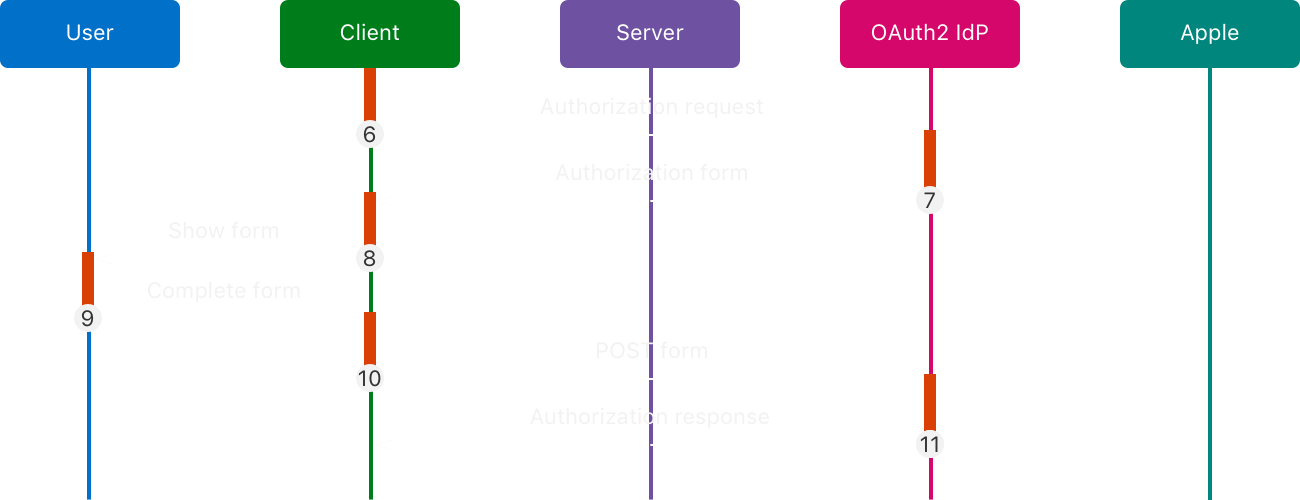
I needed to add Apple Sign In to a React Native app with a Rails backend. The stack seemed straightforward enough: React Native on the frontend with the Sign in with Apple SDK, Rails + OmniAuth on the backend.
But when I started looking for documentation, I hit a wall. The resources online are scarce, and what exists is targeted at web apps where the OAuth flow happens through browser redirects. There’s almost nothing explaining how to make this work when the redirect is coming from a mobile SDK instead.
The omniauth-apple gem documentation doesn’t help much either. It assumes you’re doing web OAuth, and the mobile SDK use case is left as an exercise for the reader. So I had to figure it out the hard way.
TL;DR
Apple OAuth with React Native + Rails is straightforward once you know the quirks:
- Apple uses POST (not GET) for OAuth callbacks, following OAuth 2.0 Form Post spec
- Required params:
code,id_token,nonce - Mobile apps send these manually; use an OmniAuth
before_callback_phasehook to inject the nonce into the session - User’s name is only sent on first device sign-in—store it or it’s gone forever
- Everything else works like any other OAuth provider once you handle these quirks
The Request Problem
First thing I learned: Apple OAuth behaves differently than other providers. Google, GitHub, and others use GET requests for their OAuth callbacks. Apple? It uses POST.
This isn’t arbitrary. Apple follows the OAuth 2.0 Form Post Response Mode specification more strictly than other providers. So instead of a GET with params in the URL, you’re sending a POST with form-encoded data.
On the React Native side, that looks like this:
const response = await api.post<User>(
  API_ROUTES.APPLE_OAUTH_CALLBACK_URL,
  params,
  { headers: { 'Content-Type': 'application/x-www-form-urlencoded' } },
);
But, this raises the questions, what parameters does apple oauth require? And how to make it seamlessly with omniauth gem? The gem documentation doesn’t tell you. Apple’s docs are dense. You have to dig through the source code or learn through trial and error.
The Required Parameters
After trial and error, I found out the parameters are straightforward: code, id_token, and nonce.
These three are required by the Apple OAuth strategy. If any of them is missing, the strategy will raise an error.
The code is the authorization code you exchange for tokens. The id_token is a JWT containing the user’s identity. And the nonce is a cryptographic value to prevent replay attacks.
Integrate Seamlessly with OmniAuth
I wanted to keep the flow following the same convention as other OAuth providers. I didn’t want to introduce Apple OAuth specific code in the controller. Instead, I handle the validation at the middleware level, ensuring the controller receives clean parameters.
There’s a problem though. As you can see at the gem source, the nonce is tightly coupled to the session. Our React Native frontend uses bearer tokens, not sessions.
Here’s what I added to config/initializers/omniauth.rb:
# Omniauth Hooks
before_callback_phase do |env|
  if env['omniauth.strategy']&.name == 'apple'
    request_hash = env['rack.request.form_hash'] || {}

    # @NOTE: Those 3 params are required by the Apple OAuth strategy. If they are not present, the strategy will raise an error.
    required_params = %w[code id_token nonce]
    existing_params = request_hash.slice(*required_params).compact
    raise OmniAuth::Strategies::OAuth2::CallbackError, "missing_params_#{(required_params - existing_params.keys).join('_')}" if existing_params.keys.sort != required_params.sort

    # Apple OAuth strategy requires a nonce to be passed to the provider, and it's tightly coupled to the session.
    # https://github.com/nhosoya/omniauth-apple/blob/master/lib/omniauth/strategies/apple.rb#L73

    rack_session = env['rack.session']
    # The env should not be wrapped into Rack::Request, because we want mutate the env that will be passed into the next middleware/method.
    rack_session['omniauth.nonce'] = request_hash['nonce']
  end
end
The hook validates that all three required parameters are present, then manually injects the nonce into the Rack session. This bridges the gap between the session-based web assumptions of the OmniAuth strategy and our token-based mobile architecture.
Then What Does The Mobile App Send?
Here’s the full params object we send from the React Native app:
const params = {
  code: credential.authorizationCode,
  nonce,
  id_token: credential.identityToken,
  // First name and last name will only be available if the user signs in for the first time on the device.
  // (It can be replicated by signing out of iCloud on the user device).
  first_name: credential.fullName?.givenName,
  last_name: credential.fullName?.familyName,
};
The first three fields are required. The name fields are optional, and as we’ll see, they’re not guaranteed to be there.
One More Caveat
There’s one more Apple-specific quirk that can bite you. The user’s name—first name and last name—is only available if the user signs in for the first time on the device.
It can be replicated by signing out of iCloud on the user device, but after that initial sign-in? Apple stops sending the name entirely.
This breaks the typical pattern you might use with other OAuth providers, where you can update user profile information on each login. With Apple, you need to store the name on that first sign-in and then handle subsequent sign-ins gracefully when the name field is empty.
Conclusion
Making Apple OAuth work with a React Native app and Rails backend isn’t complicated—it’s just poorly documented. The OmniAuth gem assumes a web flow with sessions and browser redirects, and Apple’s own documentation doesn’t cover the mobile SDK case (well, they want it their way).
The solution is a simple hook that validates parameters and bridges the gap between token-based mobile authentication and session-based web expectations. Once you understand these quirks, the rest falls into place.
If you’re implementing this, save yourself the trial and error: use POST, send the three required params, inject the nonce into the session, and handle the name field as a one-time gift from Apple. Everything else works like any other OAuth provider.