AI Chronicles: Optimizing Code Review Layer Generation WIP
AI agents generate thousands lines of code in no time, the bottleneck is code review. AI should also boost code review process.
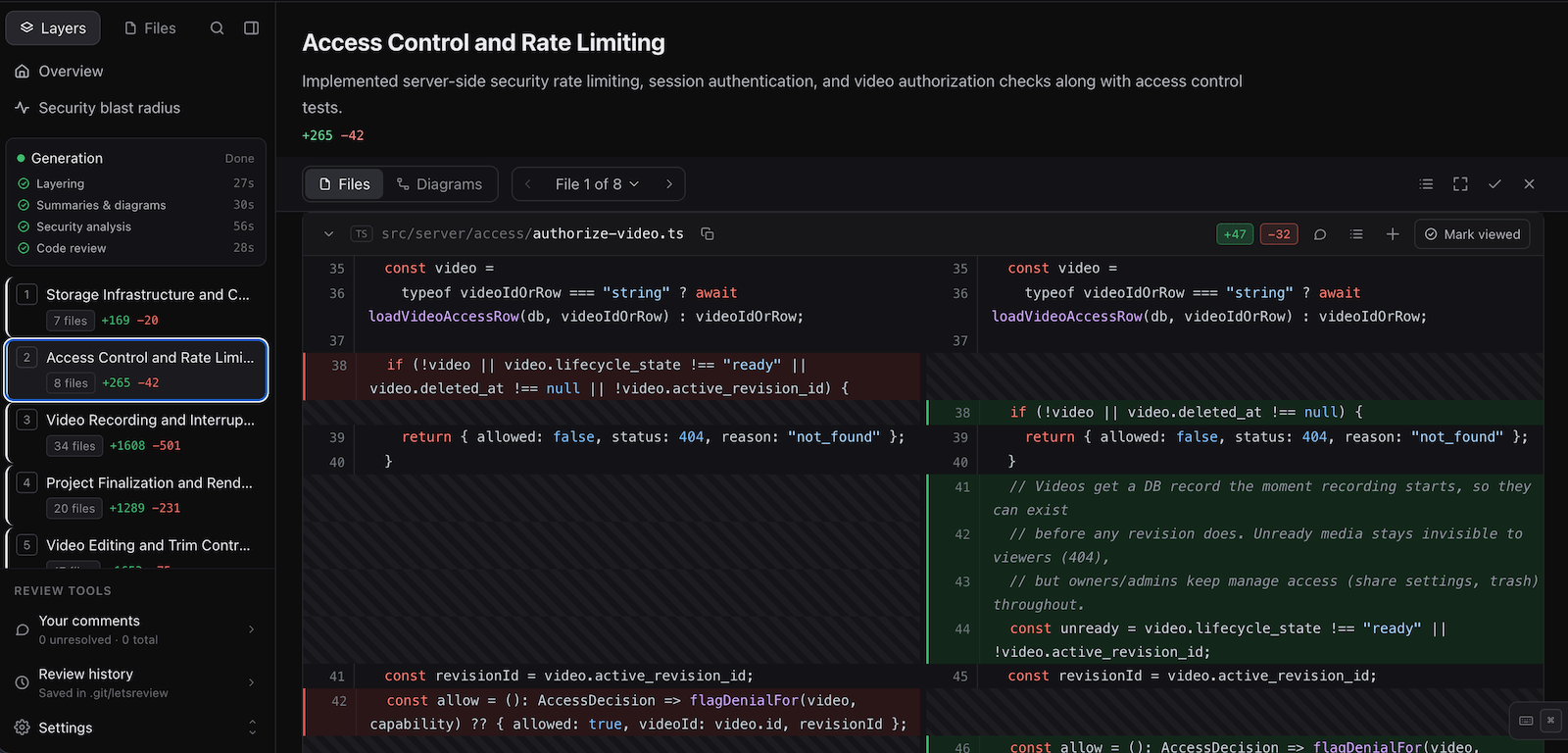
AI agents generate thousands lines of code in no time, the bottleneck is code review. AI should also boost code review process.
TODO: This is how I optimized the layer generation process from 5 minutes, to 25 seconds.
From not reading code at all, to reading every single line — people are everywhere in the spectrum. My style is somehwere in between; reading less code. However, when the AI generates thousands lines of codes, choosing what code to read is impossible without help. I like the solution of coderabbit: the changestack view. But, it still has it’s downsides, so here is my take on that.
The test subject is a review on a 36k lines of code diff. All written by AI. Around 22k of these lines are supposed to be gitignored, there should be a layer for that too.
My main models are GLM 5.3 and 5.3 Flash/FlashX (tho, I started with the “fast” Gemini 3.8-flash). All with the lowest reasoning, as the layering require speed and not a rocket science.
This post answers the follow questions:
- What is the fastest we can go?
- Is Gemini 3.8-flash the best model in the world?
- Does the harness (codex, opencode, pi, fx…etc) affect the result?
- What are they feeding codex?
- How do output formats affect the result? What is the best one (TOON, XML, JSON, INI, JSONL)?
- Can a prompt affect the thinking/reasoning of the model?
- Do open weight models behave the same way on other providers (i.e. fireworks)?
- Qwen 3.8 27B on Cerebras is fast (~1500 tps), does it perform better than gemini?
Background
I am building a CLI that turns the git diff into reviewable layers before pushing the branch to github. For 2 reasons. The first, I think it’s irresponsible to push code that I haven’t read for other engineers to read (yes, AI can review, but an engineer shoud sign it off). The second reason: I don’t want another subscription.
So, there were some requirements I want to commit to.
The Specs/Constraints
- Not another hanress: I don’t want to build another harness, we already have too many, and some models are exclusive to one harness (looking at you claude).
- Re-use existing subscriptions: I don’t want to pay API pricing, I want to make use of my codex/claude..etc plan.
- Fast: I don’t want to wait for minutes until the review layers are generated.
- Github like Web UI: Because my brains enters code review mode only in that UI — not in a code editor.
With those specs locked in, next is getting started.
Exhibit A: Gemini
How It Started — and Quick Wins
Build coderabbit, make no mistakes.
Coderabbit stack view is the inspiration for this tool. The first version was a proof of concept, a working UI with the correct API shape. After a full night of vibing, it returned with the result. I started with Gemini 3.8-flash#low (I installed antigravity btw) as it’s the fastest model in my arsenal with a throughput of ~300 tps most of the time.
The one prompt result that the process (layering + security + review) takes ~18-25 minutes – horribly slow. The first optimization was to split the layering alone, as it’s the one that is needed by the next step, and a human can start the review ASAP. The time was down to ~6-7 minutes.
Another quick win, was to index the code (a json file) and assign each hunk an ID, that brought it down to under minute and less hunk hellucination, but it fluctuates, sometimes 2-3 minutes and sometimes 40-50 seconds. Here where things started to get interesting and the real hard work starts.
Note: the layers generated are also a json file.
Gemini 3.8-flash: An LLM Model with ADHD
Remember when gemini keeps reading the same file over and over again for 20 minutes straight doing nothing? Well, this what happened. Looking at the output of Gemini, it was running builds, tests, type checks and other cli tools and reading files instead of reviewing.
I mean it’s gemini, it has to read every file in the universe while working at the task at hand. I had to tell gemini explicitly:
Never invoke execution tools, terminal commands, programs, tests, builds,
linters, installers, or hooks — no exceptions.
It worked! Gemini now does the one job it’s supposed to do. Now, with gemini it takes 20-30 seconds for layering on each run.
Improve Gemini Reliablity
I am getting the results in 20-30 seconds each time, but also random failures, empty layers, or invalid json.
Digging deeper, it looks like the input prompt gets truncated when it got bigger. In opencode, there’s a file attachment -f parameter, not in Gemini.
The solution was to reference the layers file and let the harness load it correctly:
...
Read @diff-layers.json
...
It was failing and now it’s totally ignored. Do you know why? Because it was running with sandbox parameters. Disabled it. Still failing (around 90% of time).
Can you guess why? Because I told Gemini to not call any tool or cli commands, and reading a referenced file is a tool call! I put the allow list for what to read. Now, it’s very reliable and succeeding almost 95% of the time.
Optimizing Gemini was relatively easy because it has a very high throughput. For the other (smarter) models, things get more interesting, the harness and formats play a huge role.
Exhibit B: Optimizing Other LLM Models
Removing the Blocker: Cleaning Up The Input JSON
When trying GLM 5.3 flashx and Space Bunny (free on opencode), the failure rate was almost 100%. I tracked the tool calls in those models. They were reading the attached file (i.e opencode -f ...) as chunks, each 2000 chars (instead of lines). My JSON output was super compressed and has no whitespace, means it’s a one line of a big JSON. It felt like saving space/memory, however, with agents, that is noise. I am outputting a pretty formatted JSON, where each object of the array is a separate line (kinda like JSONL, but with comma), now now both Space Bunny and GLM Flashx are running successfully.
That also improved the reliablity of Gemini/Antrigravity to almost 100% (minus the network failures).
Now let’s talk numbers: Space Bunny completed in about 27-30 seconds on each run after the improvement (throughput around 80 tps).
What about GLM 5.3 flashx? Well, it’s around 60-70 seconds. Although, it has a throughput of ~150 tps.
Next, we test other models that supposed to be “smart” but also high in throughput.
Next: GLM 5.3, GPT 6 Luna, and Muse Spark 1.3 (Free)
The first one is my powerhorse model that I use most of the time. Not fastest or smartest, but it follows my orders strictly. Throughput ~80 tps.
Muse Spark (low effort, because minimal was missing so many hunks) is a smart enough model with a throughput of ~120-150 tps. Luna on the other side is a “dumber” model acheiving similar throughput (~150) at lower cost. Since they are known for high throughput and low cost. That would make them a perfect choice for layering.
Let’s try all the three of them. Here come the numbers:
-
GLM 5.3 (low) comes around 80 - 90 seconds each run – I have cut the time later on, keep reading :D.
-
GPT 6 Luna (low and medium) between 35 - 40 seconds, however, it often hellucinate and duplicate the hunk IDs, should be cleaned and might be safe to ignore.
-
Muse Spark 1.3: Around 50 - 55 seconds, with outliers to 86 seconds. I expected more of this smart and faster model tbh.
Do you remember when pretty JSON improved the performance and reduced error rate above? Let’s try more formats!
Other input formats: XML, JSON, CSV, JSONL, mini-WAL MCP, INI, and TOON
My first thought was, if the agent reads lines, would it able to stream lines of JSON like JSONL? Or even better, call MCP for a WAL operation that also dedupes them? One way to find out. I tried the MCP calls first, it’s actually support batch inserts to reduce the chatiness, or this what I thought.
Starting with Gemini, the fastest model, guess what. It fumbled.
The model that took 20-30 to generate JSON output, now each run takes ~2.5 minutes with MCP! Probably due to chattiness of the MCP calls, then I tried streaming JSONL (a simple bash script that splits the stream for each \n). Result is similar, a bit above 2 minutes! So, chatiness was a factor it seems, but still, Gemini is horrible at JSONL and good at JSON.
Other models? JSONL performed similar to JSON.
What about other formats?
XML: Took above 3 minutes on gemini! It was a big NO, I didn’t test other models.
CSV: Took about 1 minute in gemini, that is 3x slower than the JSON version. Also excluded.
INI, TOON, JSON has a very similar performance, only difference in output tokens. One downside of INI, models more likely to duplicate or miss a few hunks. TOON low output tokens seems to be only in GPT models, other models
Conclusion: JSON still the best format by most of the model. Looks like that is the schema that the models are trained to generate.
But, how to measure output tokens? I couldn’t find them in opencode (skill issues?), here where the biggest finding.
GLM Models on Codex (and other harnesses)
The goal was to get the output tokens of the GLM runs. And here is the unexpected!
Without any other changes, GLM 5.3 FlashX was finishing in 22 - 45 seconds instead of the 60 - 70! GLM 5.3 was finishing a bit slower, at 30 - 45 seconds most of time.
Keep in mind, those are network and compute fluctuations. Also, at some runs, I noticed that there was an “overthinking spiral” where thinking output tokens spike too high compared to other runs (~3k to 10k and 16k). That, gave me 2 ideas I will discuss later on.
Now, why does codex runs them faster? I inspected the system prompt for opencode and codex. Codex doesn’t include skill definitions in the system prompt, so the hypothesis would be that they are an overhead — we have to test that.
Then, what about other harnesses that are known to be minimal? I tried pi, oh-my-pi (omp), and ofc, fx.
The results were similar to opencode, codex still outperforming them.
I couldn’t find an easy way to customize the system prompt for each of them. I can only disable all skills and plugins and run again. I tried it with opencode, it improved it slightly, now it’s about 50-60 seconds for FlashX, still not competing with codex.
Now, for the next optimization, the thinking spirals.
Stop Thinking Spirals (some of them)
After the number of tokens became visible, a new issue got surfaced. Thinking spirals in some runs on GLM models.
When it happens? Mostly with TOON format and less with JSON. Normally the output tokens is around 3000 tokens and about 1700 tokens of reasoning, when thinking spirals it reaches 16k of thinking alone (and total is 18k). Those runs finish in 3 minutes or even more, a few outliers are exceeding 5 minutes!
Experiment 1: Tell it to think less “DO NOT OVERTHINK!”
It worked, less likely to spiral. It was spiraling about 50% of time, now it’s less than 10%. Mostly with TOON format.
Experiment 2: “Think in chinese, answer in English.”
It started thinking in Chinese, but it increased the token usage to about x4 and finishes slower.
Experiment 3: Gaslighting “YOU ARE ALWAYS OVERTHINKING! DO NOT OVERTHINK THIS TIME!”
That actually made it too lazy, finishing too quickly with a lot of missing layers and hunk IDs. More than 60% misses accross the multiple runs.
Experiment 4: Talk about yapping “DO NOT YAP! JUST RESULTS!”
It didn’t change anything really. Same output same time.
Experiment 5 (Winner): “DO NOT OVERTHINK! DO NOT YAP! JUST RESULTS!”
It seems to less spiraling like the first one in codex. And finishes faster with INI format.
The downside, the hunk coverage now missing between 9 and 20 hunks in the output (out of 359 total). Looks fair, those I would like to investigate putting them under “Additional Changes” layer.
GLM: Same Behavior on All Providers?
Because, of the fluctuation in timing of each run, it’s a chance to run on different providers, namely Fireworks and Entrim. I expected results would be same, but you might guess, there’s a bit of difference.
Fireworks
The thinking spiral almost always happening on Fireworks for the INI format. The “Winner Experiment” didn’t eliminate the thinking spiral reaching 12k output tokens (total, fireworks shows 0 reasoning token). Time is also increasing towards 1 minute or more, although the output is more.
What about the “priority” and “fast” tiers of Fireworks? Looks like there is a bug in their infra that causes more token usage. For example, GLM 5.3 Fast (codex) took 7 minutes and output of 26.5k tokens for the INI format! JSON format took 14 minutes (12.5k tokens out) in the first run, and later runs around 2:47 (9k tokens out), both are GLM 5.3 Fast on Fireworks, which I expected to finish faster.
GLM 5.3 Priority tier was no difference, always thinking spiral that takes very long.
GLM 5.3 Flash however, was not going with the thinking spiral in all the runs. One outlier that took 1 minute and 7k tokens out. While JSON output normally finishes within 35-40 seconds (~3500 tokens out), similar to flashx on Z.ai, with same accuracy — missing between 5 and 15 hunks accross the runs. The fastest INI ran within 18.3 seconds outputting 1794 tokens.
Entrim
Entrim only has GLM 5.3 Flash, not GLM 5.3.
Accross the runs, the runtime was fluctuating between 20 seconds and 1:11 outputting between 1900 and 4300 tokens for INI format.
For the JSON format, runtime between 0:52 and 3:55